Case study · Dallas-Fort Worth, USA
Every Walmart aisle, a scan away.
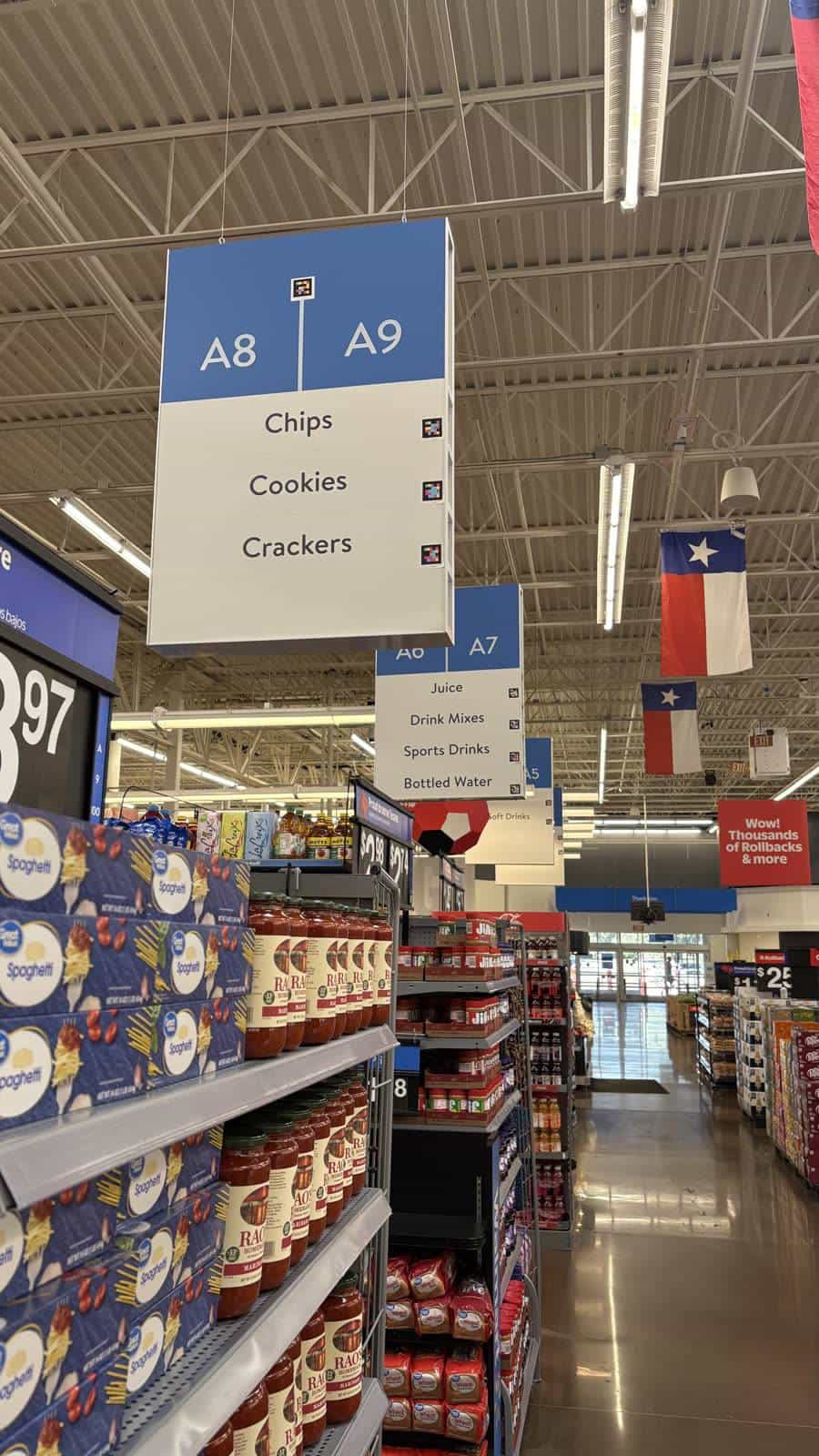
How Walmart embeds NaviLens into the overhead signage of its aisles – the iconic blue panels carrying the aisle coordinate and the categories it holds – so any customer can locate themselves and hear what is in each aisle, in 42 languages, without having to read the sign.
Dallas-Fort Worth
Walmart with NaviLens on its overhead aisle signage
A · B · … E1
Codes paired with each aisle coordinate
42
Languages read aloud from the sign
160°
Reading angle: no aiming, no focusing, on the move
The client
Walmart Dallas-Fort Worth
Walmart is the largest retailer in the world, with more than 500 stores in Texas alone. Its overhead aisle signage – the blue panel with the coordinate and the categories it holds – is one of the most recognisable in retail, and the exact point where a customer decides which way to go.
In April 2026 it announced a plan to remodel 72 stores in Texas – focused on Dallas-Fort Worth (Allen, Denton, Fort Worth, Garland, McKinney, Plano, Rockwall, Sachse…) – including a new “store-based app experience” and, inside the Walmart app, an explicit Faster Store Navigation feature: aisle locations and store maps.
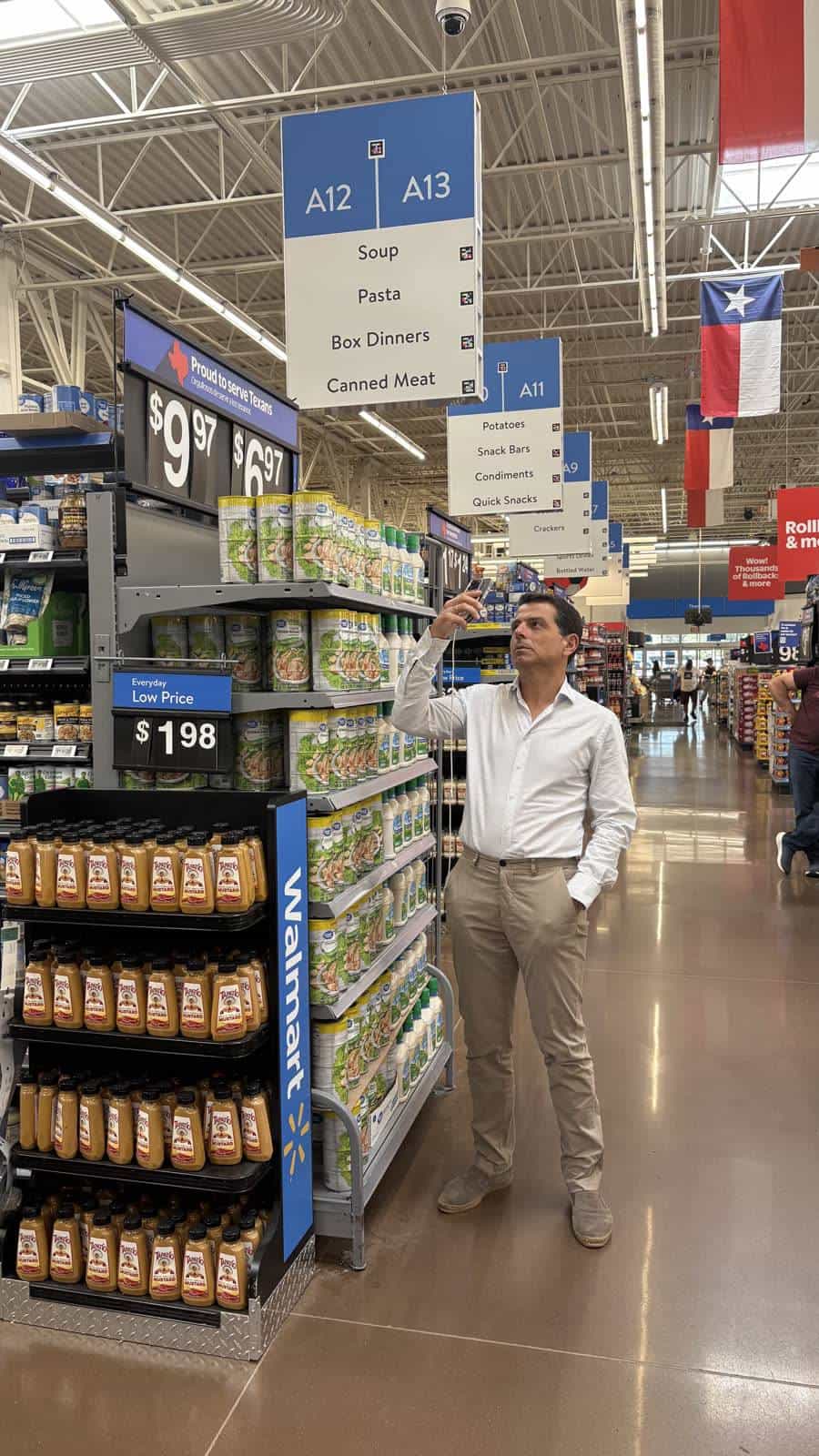
On top of that same overhead signage – the blue panels with the aisle coordinate and the product categories that define it – a NaviLens layer is added, so the information also reaches those who cannot read the sign from a distance.
§ The challenge
So no customer gets lost in the store.
- 01
Visual signage does not reach everyone
Walmart, like any large retailer, identifies the contents of each aisle with visual signage: overhead panels (A1, A10, E1…) that work perfectly for anyone who can read them. In a store that can exceed 180,000 square feet with more than 30 aisles, that information is out of reach for a blind or low-vision shopper arriving alone with their smartphone and cane.
- 02
The store you know changes every day
The layout never sits still: product rotation, stock, promotional campaigns or a merchandising decision reshuffle the aisles. Even a familiar store can turn into a different space from one day to the next, so memorizing it is not an option.
- 03
Without changing how the store is run
Any solution that requires mapping the building, installing beacons or keeping a digital map up to date collides with that rotation: it would be out of date by the first campaign change. The retailer needs to keep managing and reorganizing its signage exactly as before.
§ The solution
NaviLens on the blue panel of every aisle.
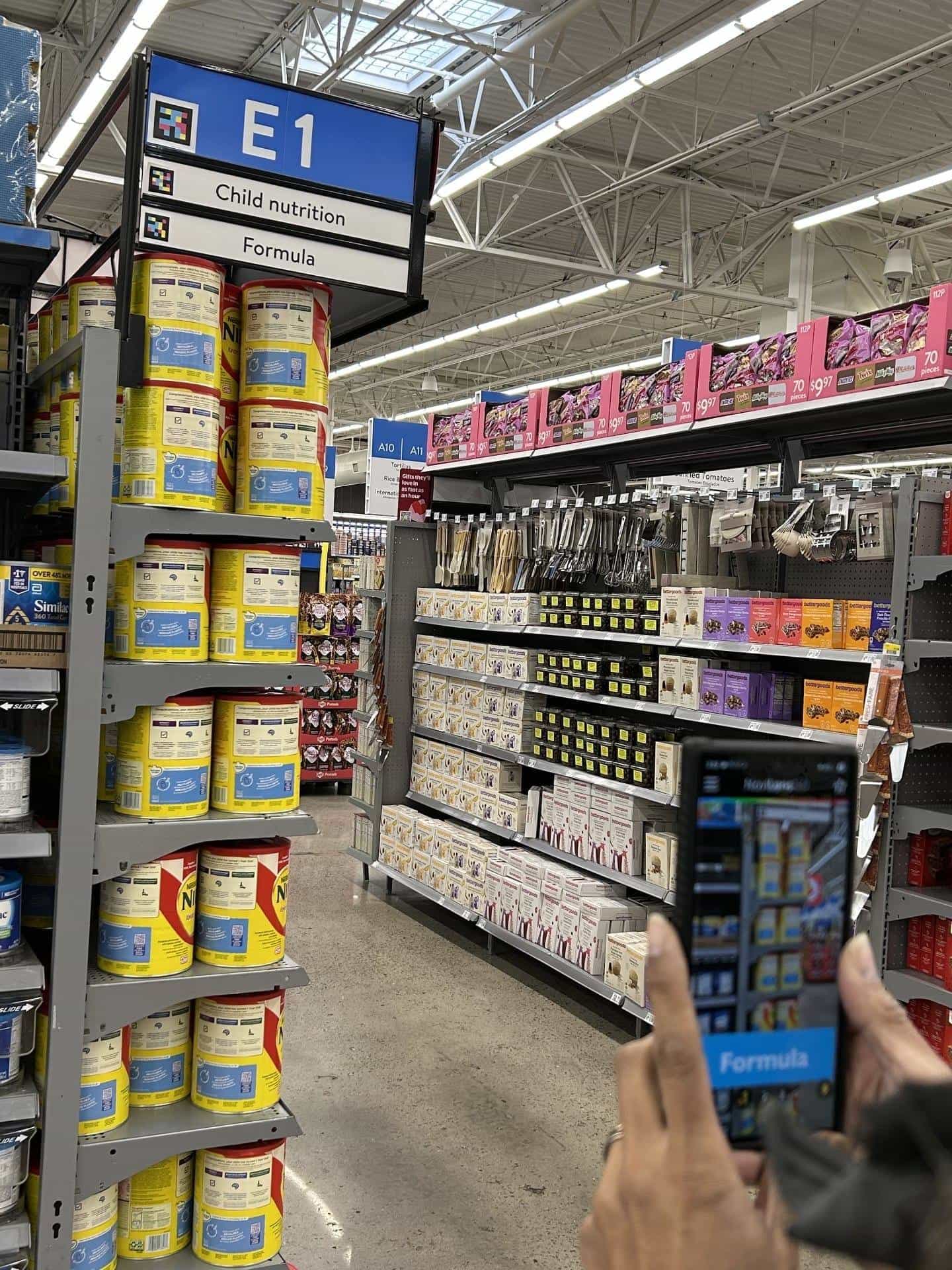
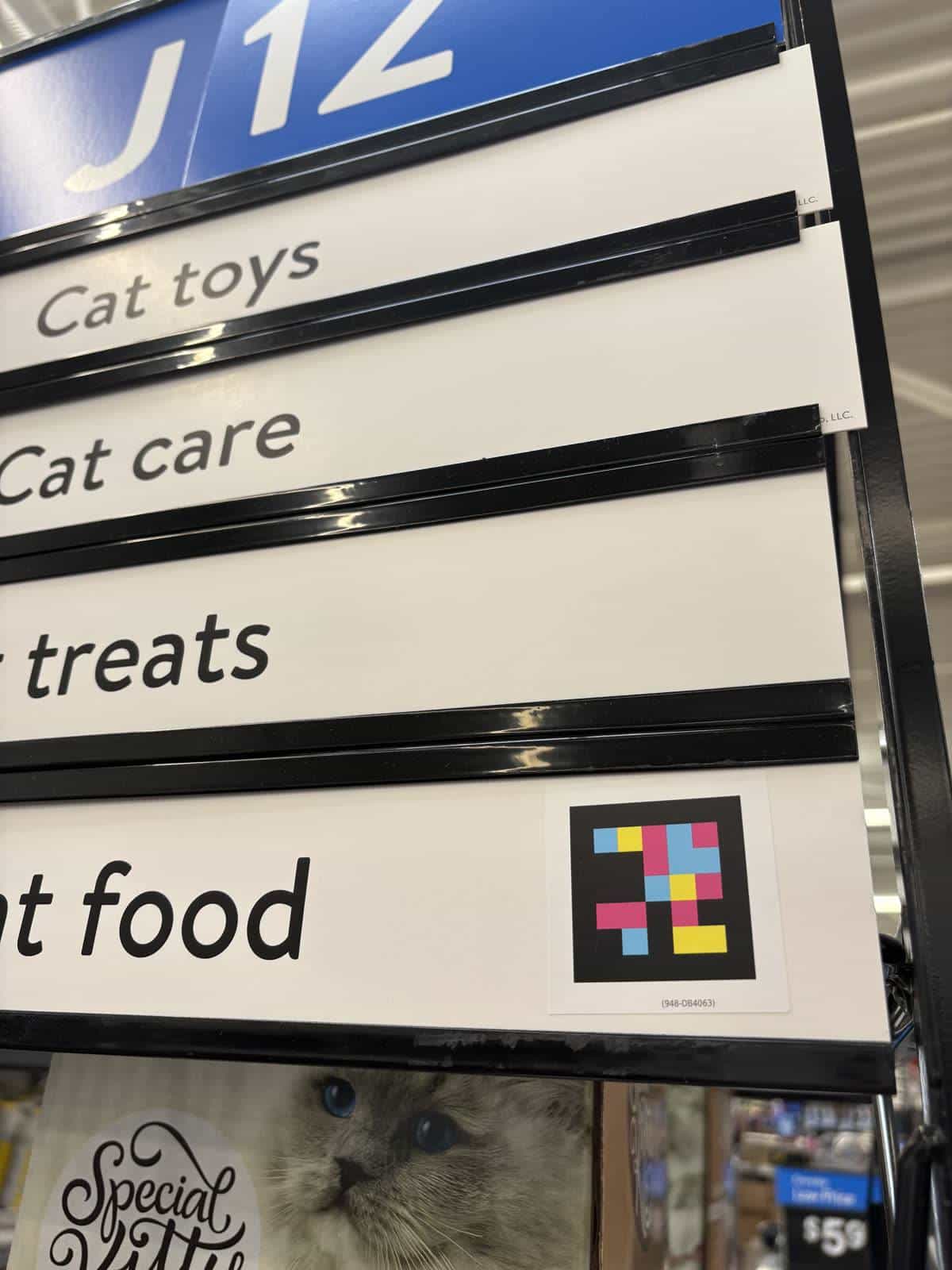
On top of Walmart's standard overhead signage – blue panel with the aisle coordinate (A1, A10, E1…) and white bands with the categories – , a NaviLens code is printed next to each level of information. The code travels with the sign: when the store reorganizes, rotates a category or sets up a campaign, the code moves along with the panel.
The NaviLens GO app detects the codes on the move, without aiming and at angles of up to 160°, and delivers the aisle coordinate and the categories it contains by voice, in 42 languages. Low-vision shoppers orient themselves before reaching the aisle, and non-English speakers hear the information in their own language.
A Supercenter can display between 200 and 400 different categories – “Child nutrition,” cereal, pharmacy, electronics, apparel, home – so full coverage takes at most some 400 unique codes: one per category. And those codes do not belong to a single store; the same code is printed and reused in every store in the network where that category exists.
No digital maps, no building survey, no beacons or positioning systems, no turn-by-turn instructions. NaviLens is simply added to the signage the store already uses – from one pilot area to thousands of locations.
Video without dialogue · image only
§ On video
Aisle by aisle: every blue panel carries its codes.
A walk through the grocery side of the Supercenter. Every overhead panel – A6·A7, A10·A11, A14·A15, A24·A25… – carries one code next to the aisle coordinate and another next to each category: “Rice & Beans,” “Canned Fruit,” “Canned Vegetables,” “International Foods.” The signage doesn't move, change size or change design: it simply gains a layer a phone can read from a distance.
§ On video
What you hear in the refrigerated section.
A screen recording of NaviLens GO at the dairy coolers, where the codes sit on the doors themselves. The app announces each category as the shopper moves along: Greek yogurt, sour cream, juice, lactose free, whole milk, eggs, butter, specialty cheese. Next to the name, how far away the code is: roughly 6 to 3 metres, on the move and with no need to focus.
§ Gallery
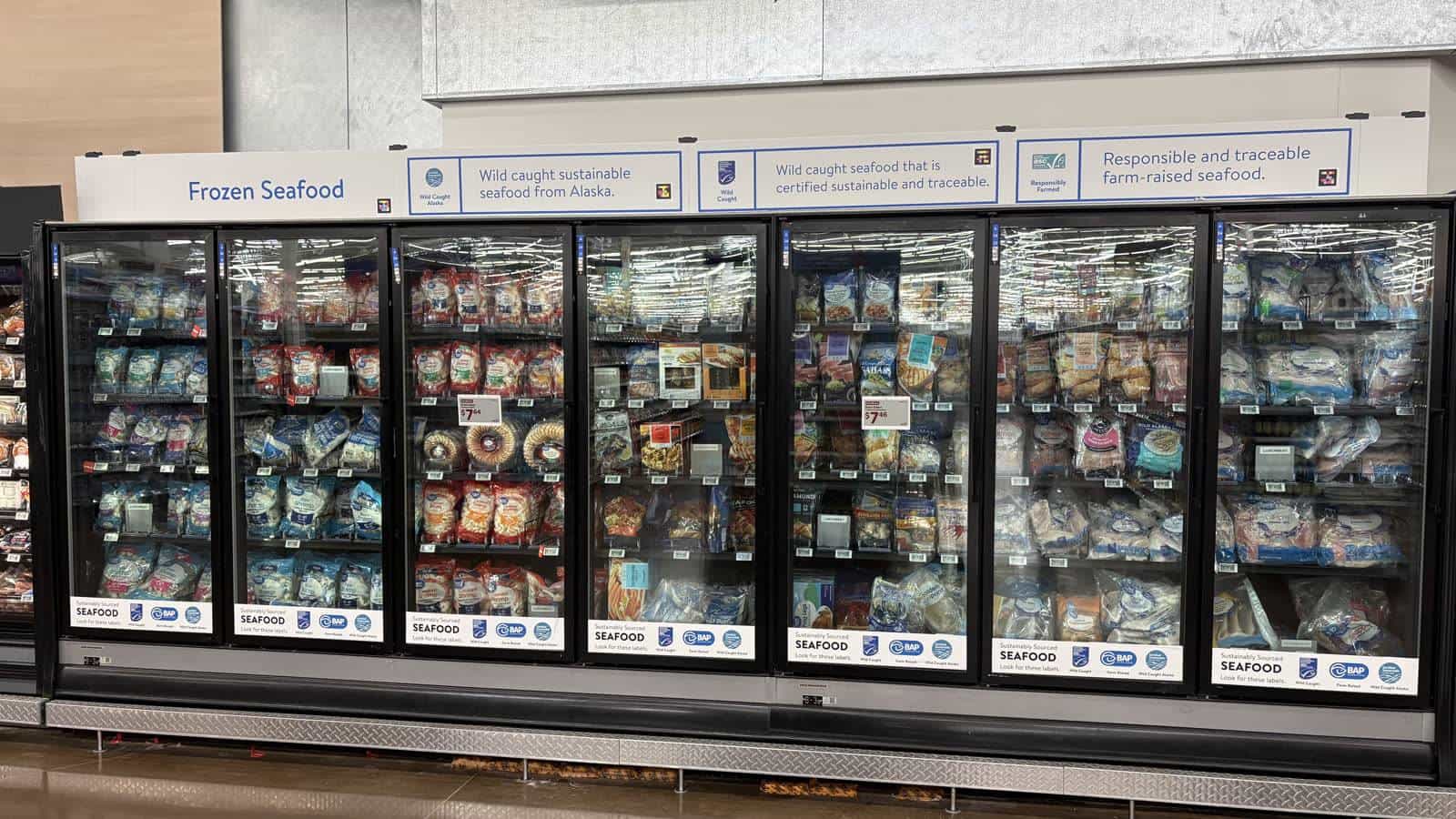
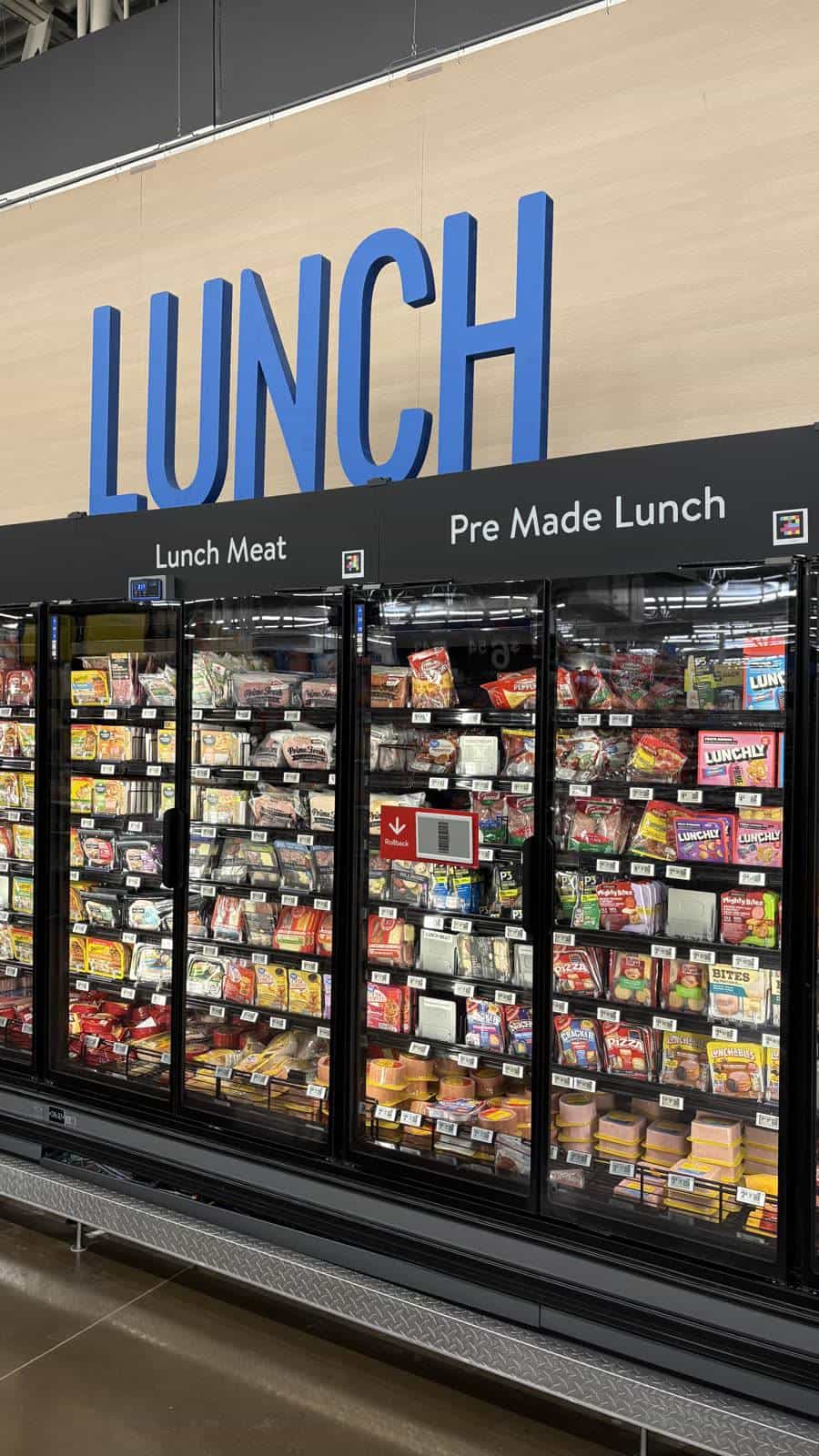
The same layer, all across the store.
§ Timeline
From the store plan to the accessible layer.
- 16 Apr 2026
72-store remodel plan in Texas — DFW included
Walmart announces the remodel of 72 stores across Texas in 2026, including Allen, Denton, Fort Worth, Garland, McKinney, Plano, Rockwall and Sachse. The plan introduces “Faster Store Navigation” in the app: aisle locations and store maps designed to make navigation “simple and efficient”.
- 2026
NaviLens on Walmart's overhead signage in Dallas-Fort Worth
On every blue aisle panel (A10, A11, E1…) NaviLens codes are added. The NaviLens GO app detects them on the move, without aiming and at angles of up to 160°, and reads the aisle coordinate and product categories aloud in 42 languages.
§ What they said
What they said about the project.
“Faster Store Navigation: Find items quickly with aisle locations and store maps designed to make in-store navigation simple and efficient.”
“Walmart has announced plans to remodel 72 of its stores across Texas in 2026—including many in Dallas-Fort Worth—… The newly planned upgrades include a 'store-based app experience' aimed at helping customers easily navigate through stores.”
§ Results
Same signage, now also accessible.
Simple
Add NaviLens to the existing signage and turn hundreds of visual categories into accessible information – no maps, no extra hardware.
Scalable
A single system of accessible codes can extend across the whole network, without duplicating content or adding operational complexity.
Universal
Each code identifies a category and can be reused in every store, for an accessible experience that is consistent and always recognisable.
What the retailer gains.
- More independence for blind and low-vision customers to find the aisles and know what is in them.
- Simple rollout: NaviLens is added to the signage the store already uses.
- Compatible with the usual changes in layout, promotions and categories: the code moves along with the sign.
- No maps, beacons, prior survey, electronic hardware or complex turn-by-turn guidance systems.
- No new operational processes: the retailer keeps managing its signage exactly as before.
- Scalable from a single store or pilot area to thousands of locations.
- A fast, intuitive experience for the user, through a free app.
§ And your stores?
Make your store visible to everyone.
Tell us what your stores look like and which elements you want to make accessible. We’ll design the project with you, launch a pilot in under two months, and can roll it out across the whole network within six months.