Case study · Madrid
Reaching the AVE without asking for help at Puerta de Atocha.
In July 2019, Adif deployed NaviLens at Madrid-Puerta de Atocha station: codes detectable from several yards away guide blind and low-vision passengers from the street door to their train carriage, with on-phone audio guidance.
Madrid · Puerta de Atocha
Adif AVE, long-distance and Cercanías station
July 2019
First NaviLens deployment at an Adif AVE station
Full journey
Entrance, concourse, boarding hall and platforms
No external help
The phone guides blind travelers to their train
The client
Adif Madrid-Puerta de Atocha station
Adif (the Spanish rail infrastructure manager) launched a pilot at Madrid-Puerta de Atocha on 7 July 2019 as part of its Master Plan for the Digital Transformation of Passenger Stations, to improve accessibility for blind and low-vision people.
The initiative makes Atocha the first major AVE hub to adopt NaviLens signage, a technology developed in Spain by the University of Alicante together with Neosistec and recognized with multiple international awards.
The deployment covers the full journey—outside entrances, concourse, both boarding halls, access to every platform and the retail areas—and went live in peak summer operation to evaluate the system at full load.
§ The challenge
Letting anyone travel alone from the street door to the train carriage.
- 01
One of Spain's most complex stations
Puerta de Atocha handles millions of travelers a year across AVE, long-distance and Cercanías services. Main concourse, boarding hall, security checks, platforms and connections to the interchange and metro: for a blind or low-vision person, walking that journey to a specific platform without help was nearly impossible.
- 02
Tight schedules, gates that close
The AVE doesn't wait. The boarding hall closes minutes before departure, and missing the right gate means missing the train. Accessibility had to work on the move, without stopping to read panels or asking staff during rush hour.
- 03
Information that changes with every departure
Platform number, boarding hall and sector are assigned shortly before each departure. Accessible signage couldn't be static: it had to connect the traveler with real-time information for each specific train.
§ The solution
One code per milestone: entrance, boarding and platform.
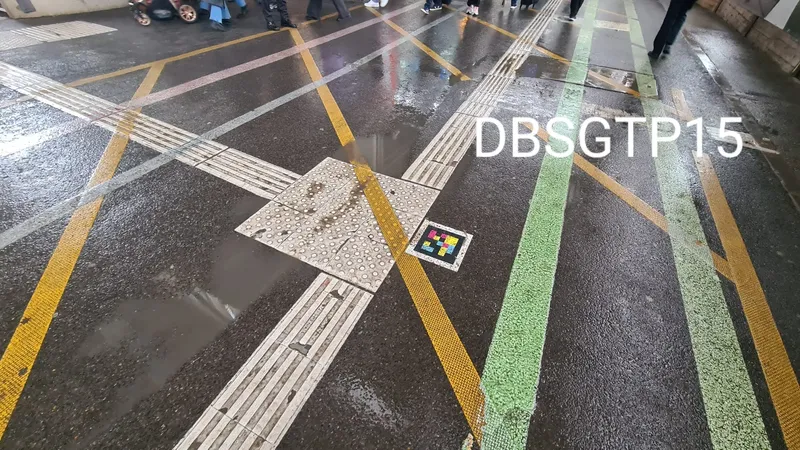
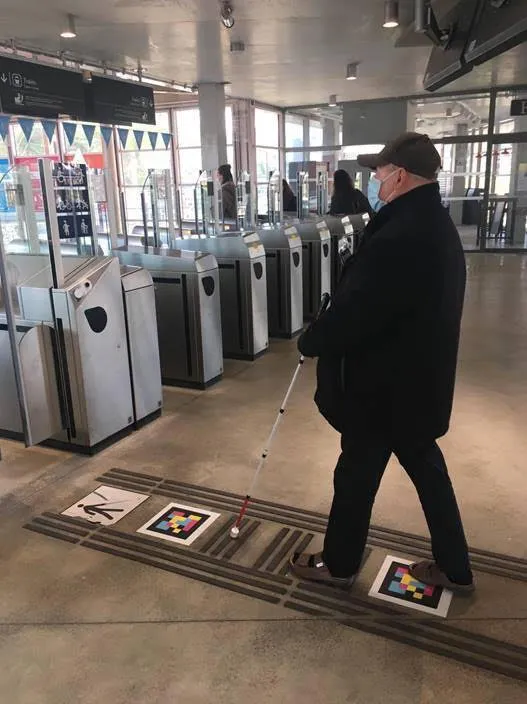
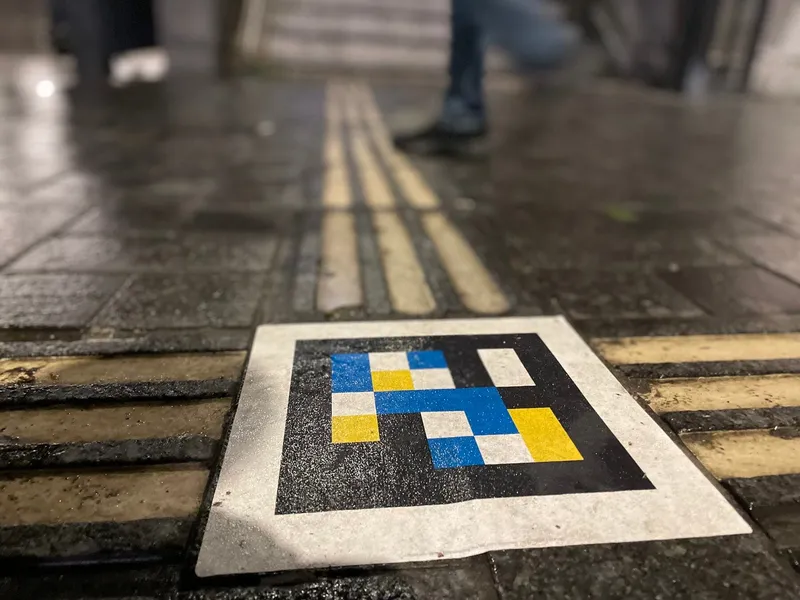
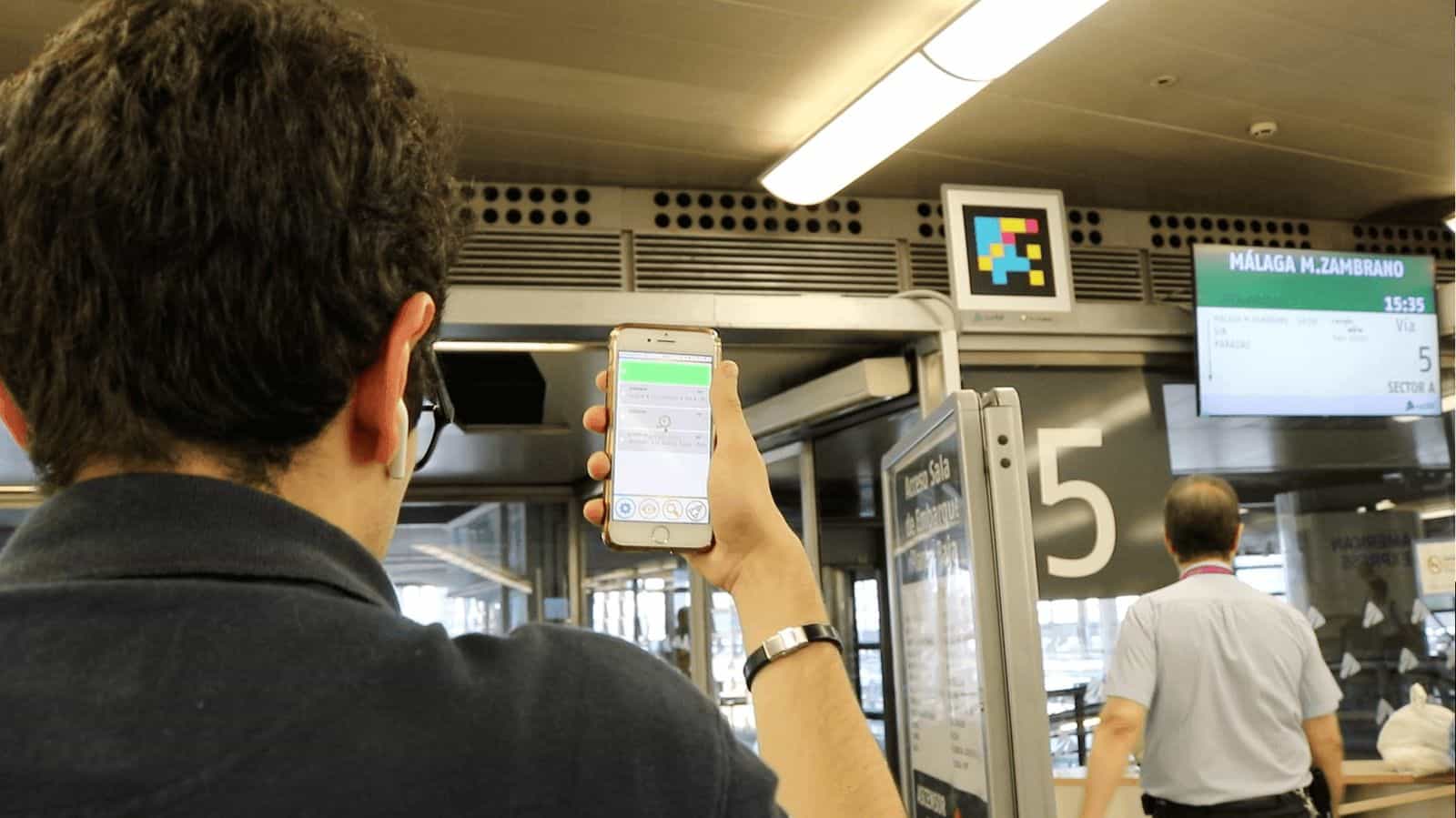
Adif placed NaviLens codes at every key milestone of the journey: outside doors, concourse floor (embedded in the tactile paving), boarding hall gates, columns and platform signs.
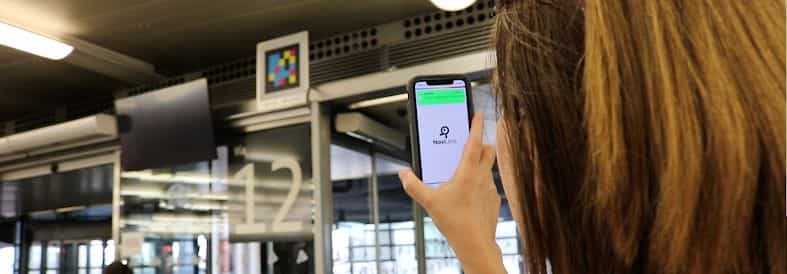
Each code is detected from several yards with the free NaviLens GO app, with no need to aim, and delivers a contextual audio message: where you are, what's ahead, where to go next and, on the platforms, train information.
The signage coexists with the floor's tactile paving and existing panels: NaviLens adds an accessible layer without taking up the space other travelers already use.
§ Full journey
From the concourse to platform 12 with a single gesture.
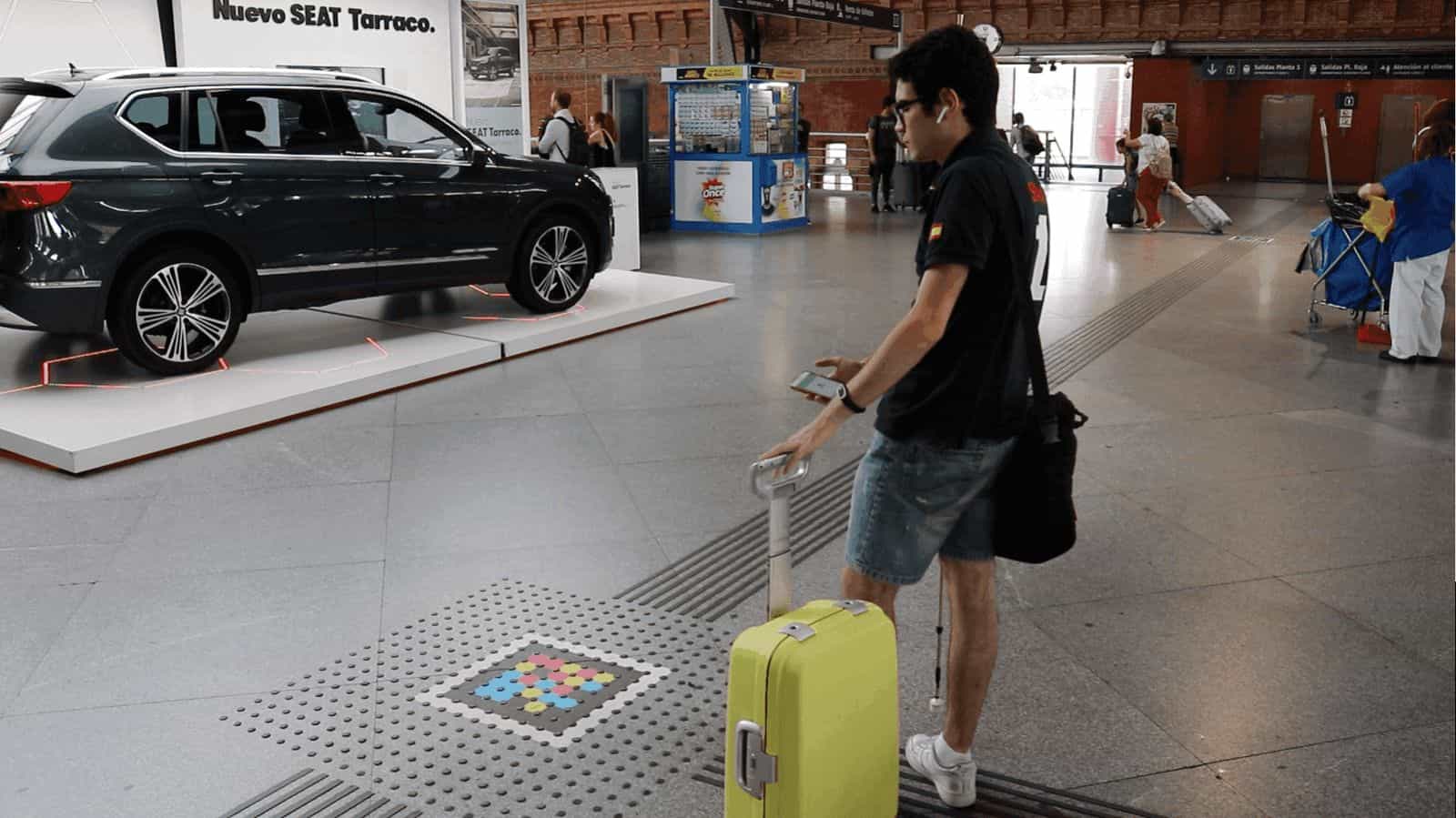
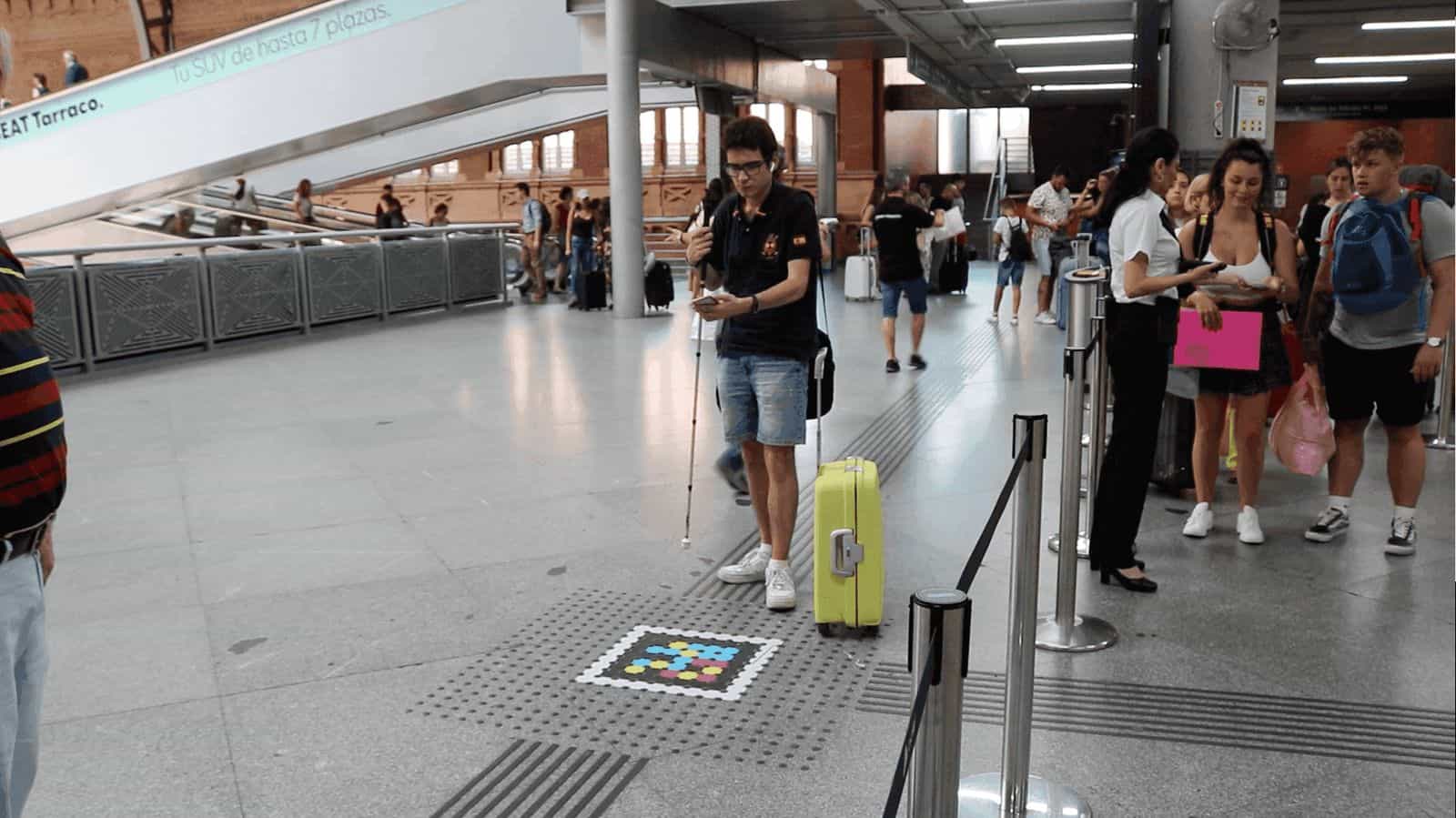
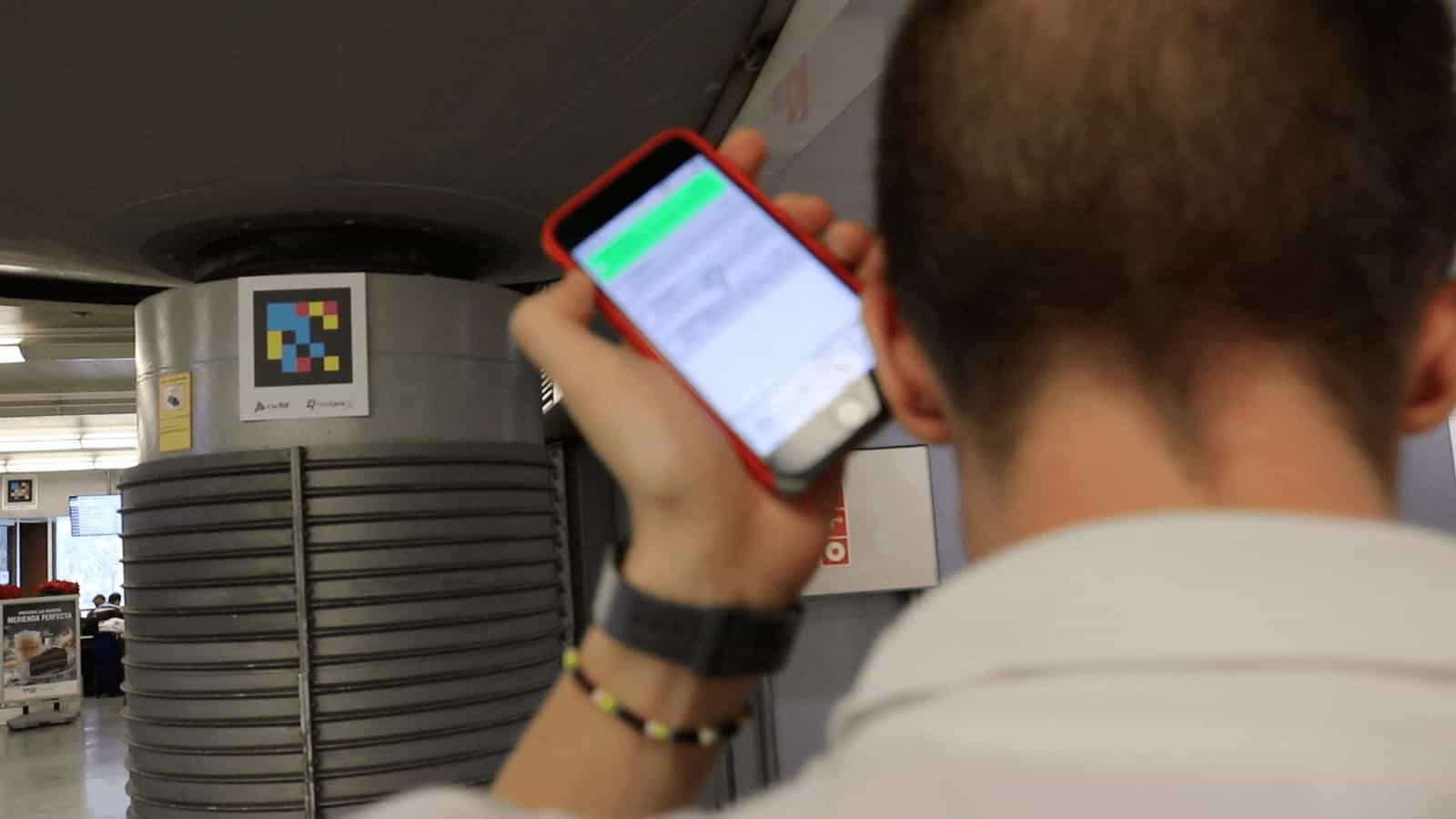
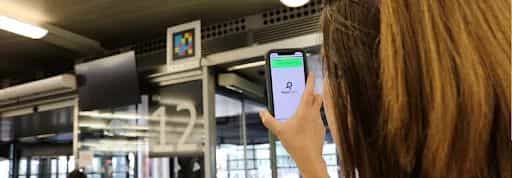
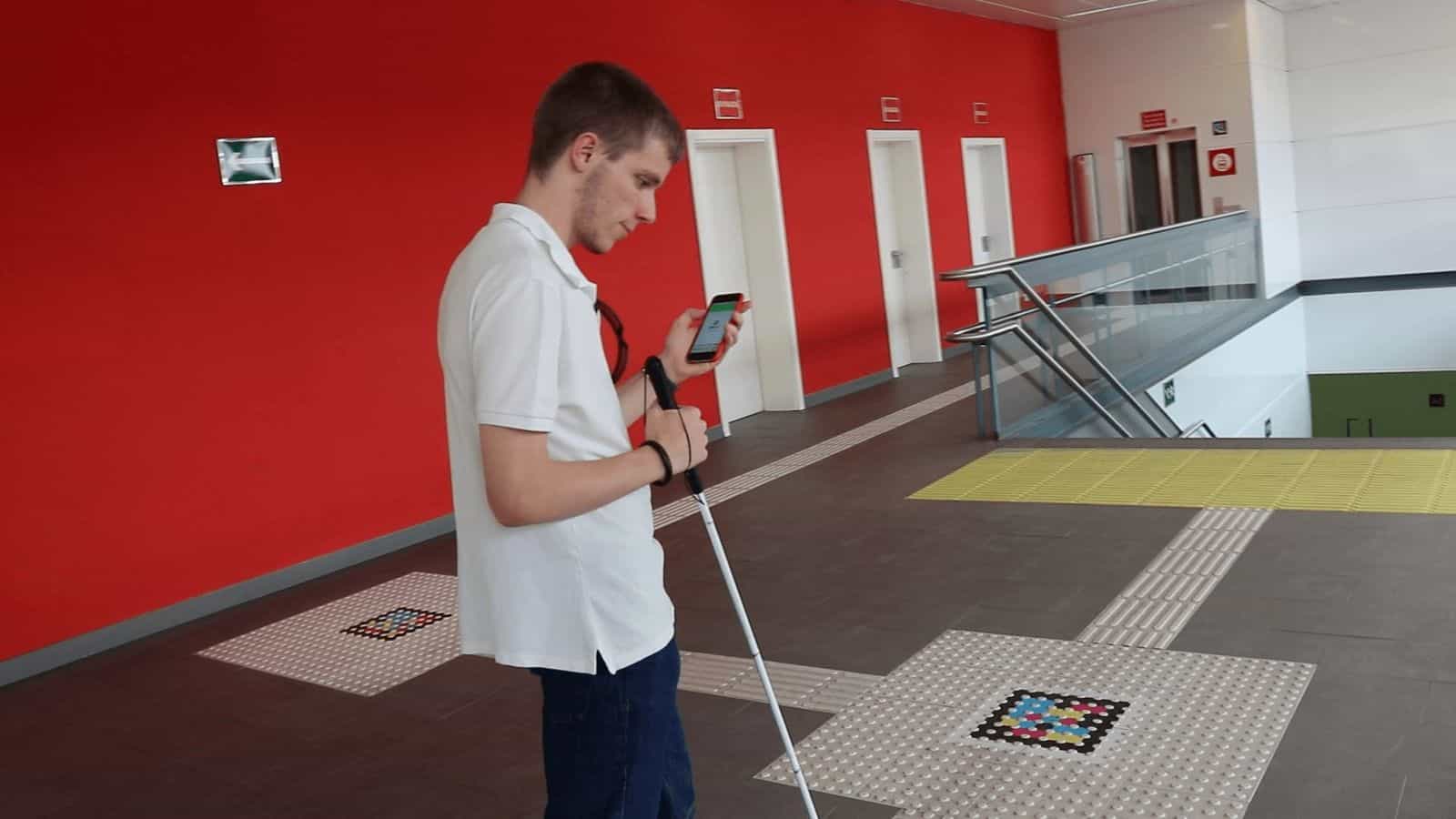

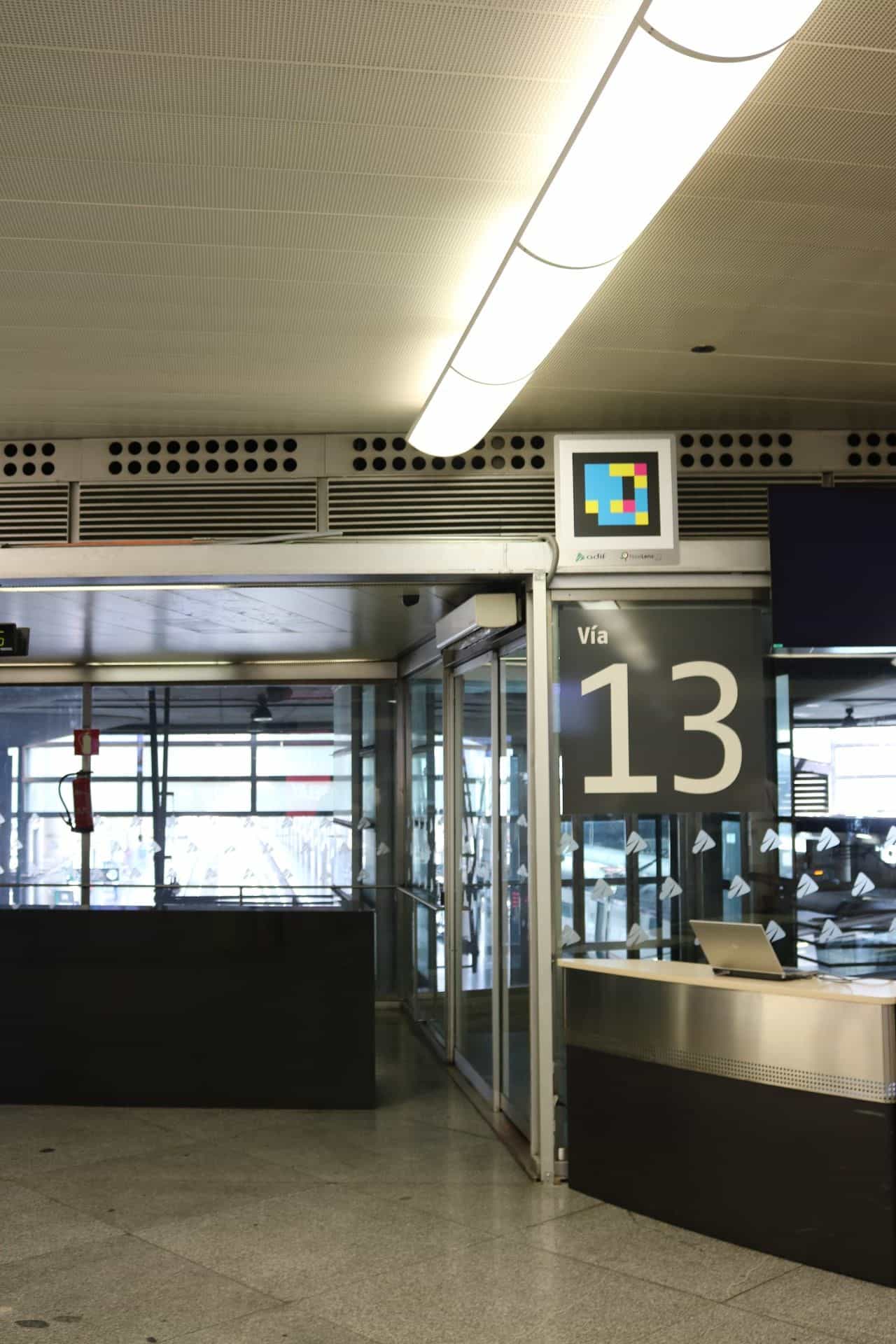
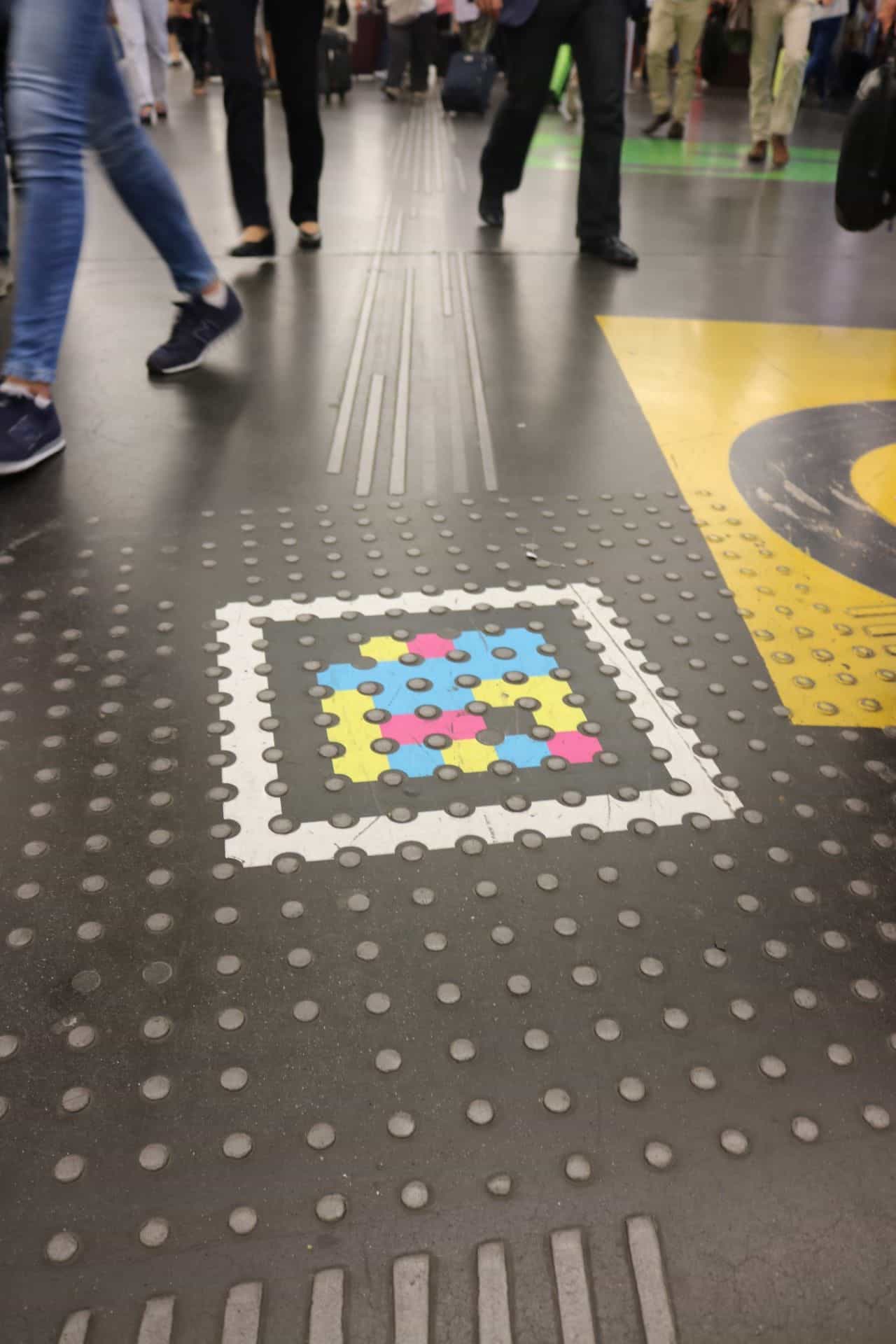
Codes are placed at the right height and in predictable positions—above the gate, on the concourse column, on each platform sign—so users find them with a phone sweep, without having to aim at an exact point.
§ Two apps, one code
For blind people and for any traveler.
NaviLens app
Blind and low-vision users
With gentle phone sweeps, the app captures the codes without aiming and returns a self-descriptive audio message: where you are, what's around you, which services and shops are nearby and how to reach the right entrance, boarding hall or platform. Information is delivered in the device's language, removing the language barrier too.
NaviLens GO app
General public
For everyone else, the GO version reads the same markers and returns train info, platform, schedules, services and nearby promotions. It also includes augmented-reality guidance, with arrows overlaid on the phone screen showing the direction to follow inside the station.
Both apps are free, available for Android and iOS and coexist on the same signage: each sign serves a blind traveler who needs audio and a general traveler who wants to confirm a platform or schedule.
§ Validation
Field-tested with ONCE.
In the prior proof-of-concept phase, ONCE's Information and Accessibility Unit and engineers from its Center for Tiflotechnology and Research (CTI) visited Atocha and ran real tests with blind people to detect issues and propose improvements.
Those tests produced two key recommendations that Adif built into the rollout: integrating codes at the intersections of the floor's tactile paving strips—so the cane guides the person to the area where their phone will read the information—and placing vertical signs on boarding gates, shops, elevators and restrooms, with platform info, the floors a elevator serves or local promotions.
It's the first time this technology is used to guide visually-impaired people exactly at tactile-paving intersections, providing different information depending on the direction of approach, without installing any additional electronic device.
§ Why it matters
The first AVE station accessible by design.
Autonomy
blind travelers no longer depend on staff or companions to reach their boarding gate: the phone guides them to the train carriage.
Real time
platform, hall and sector information arrives on the phone instantly, in the user's language, avoiding missed trains due to platform confusion.
Model
Atocha served as a pilot to extend NaviLens to other stations on the Adif network and to the Madrid Cercanías service.
§ In the press
- Adif rolls out a system at Atocha so blind people can catch the AVE guided by their phoneServimedia · 7 Jul 2019
- Adif launches an Atocha pilot so blind travelers can reach boarding with an app, without external helpLa Vanguardia / Europa Press · 8 Jul 2019
- Atocha station in Madrid adopts the mobile technology from the University of AlicanteInformación · 10 Aug 2019
§ And your network?
Your next station can also speak.
Tell us about your network, your pain points and the KPIs you want to move. We’ll show you how NaviLens would fit—with comparable cases.